Sometimes sitting in my office at home is a drag. Now mind you I have a nice office. Comfy desk chair, decent desk, even a couple of windows to look out. But there’s time it’s just not doing it for me. No inspiration. No spark of creativity. That’s when things get drastic. That’s when I need…a change in venue.
Change the scenery for better productivity
Many people view working from home as their change in venue from the office, and back when I was working in an office full time I’d likely agree. Mixing up your environment can do wonders to spark the creative juices and get work moving forward again. The irony is the trip doesn’t need to be a long one.
Coffee shops and their ilk are the typical new venues often mentioned for home based workers. Unfortunately in my area there aren’t a lot of the classic coffee shops around (though a new one is supposed to open soon…oh happy day) so finding a place outside the home isn’t as easy as one would think. I’m not likely to be as productive and creative parked at McDonalds on the free wifi with the over 70 crowd in the mornings so I find alternatives right here at home.
Relocation to someplace close, such as the dining room table or out on the deck, provides significant enough disruption to the mundane that it is refreshing. If you’re working from home and it’s starting to feel like working from an office, pick up your gear (if possible) and take a walk. Move to another spot, but most importantly get to work when you get there. Don’t use a change in venue be an invitation to procrastinate.
What do you do when the home office walls are closing in? Post your tips in the comments, please!
One of the downsides of working from home is my office can get to look a little “lived in.” Nothing hoarder-like, just a little too comfortable for what should be in a professional office.
How do you keep your home office working as an office?
In an effort to keep that under control, beginning today I am blocking 30 minutes out on my calendar to, as the old term goes, “sharpen the saw.” A little work on the working area will hopefully be a positive contribution to the productivity of the space and myself.
Spending time making sure your space is ready for work is as important as doing the work itself. A good mechanic keeps his or her tools in order and clean, the workshop safe, and everything where it can be found for the tasks at hand. This is a rule we should all follow in our work.
How do you keep your workspace under control? Any tips or tricks you’d care to share? Post them in the comments, please!
I’ve been working from home for more than three and a half years now and over that time I’ve found that maintaining the motivation to get things done can be just a challenging as in an office. Recently I’ve started to try some new things to get me going and I thought I’d share my successful/unsuccessful efforts here.
It’s easy to fall into a level of comfort when working from home. No business casual dress code needed if you’re not seeing people after all. But I’ve found that staying in the “casual” mode too long tends to create inertia in the brain and doesn’t let me do my best “business work.” My solution…get dressed.
Now, I’m not talking about putting on a suit or anything like that. The simple act of putting on a dress shirt can change my mindset completely when it comes to focusing. I’ve heard the process equated to putting on a uniform in sports…you get your game face on. Combining this with the option to do video calls more frequently, and I’ve found “gearing up” can be just the catalyst I need to get over a hump of inactivity.
Put away the bunny slippers, put on some good clothes, and go comb your hair. It’s amazing what mixing things up a little bit will do for your productivity.
What gets you motivated working at home? Share in the comments section if you please!
Pinterest has gained huge amount of popularity over the past few years. Unfortunately one of the drawbacks is the lack of ability to share “boards” outside of Pinterest itself. If you’re a blogger or site publisher and want to share these kinds of collections of bookmarks and images, Springpad is the way to go in my book.
Below you’ll see an example of an embedded Springpad notebook. By doing this, you can share any content you put into the notebook, now or later, with your audience without them having to have a Springpad account. It’s a great way to provide organized reference material with a minimum of muss and fuss.
The process of embedding a notebook is a simple one. Create a notebook in Springpad, populate it with content, and then click on the Share Notebook button. You’ll have the option to get a link to the notebook or in this case, copy and past the Javascript necessary to embed your notebook. Now just paste the Javascript into your page and you’re all set.
Regardless of what or how many springs you have, this is a great way to create publicly shared content without having your users struggle to locate the information. You can share the notebook in a collaborative mode, allowing others to post and edit the content, and still have the embedded notebook sharing all the contents in a clear visual format. If your reader is a Springpad user, they can follow your notebook or even reshare it for others to find.
This is just one of the many ways to put these notebooks into use. There’s lots more where this came from.
GTD, being the popular methodology it is, lends itself to any number of different variants when it comes to setting up a digital tool to streamline use of the techniques. I’m not going to try to explain a complete implementation here, but rather my own interpretation of how one of the parts of the process, in this case Contexts, could translate to an implementation in Springpad.
First, let’s look at the idea of Contexts. A Context in GTD parlance is a grouping of related tasks as to how or where they will be executed. If you have a @Phone context, you might consider it all the phone calls you need to make, or look at it as everything you need to do when you are near the phone. The same idea applies for contexts such as @Computer, @Home, @Office. I can see translating the idea of Contexts into two main mechanisms within Springpad. First I’ll talk through a Notebook implementation and second we’ll review a tag based implementation.
Notebooks are one of the core structures within Springpad and provide an aggregation method for multiple “Springs”. One way of implementing GTD would be to create a notebook for each context you are tracking. Now in other systems this would be a limiting factor because of the inability to assign contexts to more than one notebook. That isn’t the case with Springpad. Each Spring can be assigned to multiple notebooks. If you have a notebook based context structure it is easy to see how a Spring could be assigned to @Home @Phone.
A tag based configuration allows the notebook structure to be used for other organizational needs while still providing the depth of contexts for each Spring. Replacing Notebook contexts with Tag contexts could yield a Notebook for “Work” with contexts that span all notebooks such as @Email, @Phone, @Computer, and so on.
The important things you need to take into consideration when implementing GTD contexts within Springpad are:
How are you going to want to group and sort the information? Will you want to see all your @Phone contexts at one time?
Will your items often change contexts? (It is faster to change tags than notebooks within Springpad)
Will you share your contexts with others? (Notebook based contexts make for easy collaboration)
There is no one perfect way to implement contexts within Springpad, but due to it’s innate flexibility, you have a number of options and always the latitude to change if you find it isn’t working out for you as you have configured it.
In sales and marketing presentations I am always asking the parties involved in the presentation, “What’s your objective? What is the primary result you want to have happen when this session is done?” It is critical you ask that question of all the key stakeholders in a presentation since agendas and expectations vary so much from person to person as well as group to group.
When asking a sales person, the answer may be, “to make the sale.” That’s not actionable. There are multiple steps still needing to take place before you can meet that particular expectation. If it’s an informational presentation, the objective may be to “increase familiarity with the topic.” A fairly wishy-washy objective when it comes to measuring success.
Plan your presentations around the objectives you and your team agree upon that are actionable, achievable, and measurable. Make it part of your plan, and know what to do if you’re straying away from those objectives as your presentation progresses.
Presentations should have specific objectives and should contribute to moving whatever process is taking place forward. If your presentation doesn’t focus on the expectations of the key stakeholders, then you’re not likely to have a successful session.
An interesting discussion popped up on Google+ today talking about evaluating productivity advice based on the provider of the advice over the advice itself. While I may be over-simplifying the concept, it inspired me enough that I believe it is worth further investigation. I do agree with the commenter there is a segment of the “productivity movement” tending towards saleable advice, but that is to be expected in any venue of expertise. I spend a great deal of time in the project management space and you find the same perspectives there. The challenge I raise to this is, do we discount productivity advice based on if we do not agree with the adviser?
My stance, and what I recommend to others, is to take a three pronged approach to evaluating productivity advice. The three tenets of the evaluation are:
Relevance – Practicality – Repeatability
By using these measures you can determine if a productivity hack, solution, tool, or whatever has a good chance of contributing positively to your personal productivity for an extended period of time.
Relevance
Does the advice have a relevant point of reference in making an impact in your daily life? When you review your list of “productivity issues” do you see one that matches the solution the advice recommends, or do you see the solution and look for a problem for it to solve? I’ll use the example of Inbox Zero for my own reference here. While the approach of having all email addressed and resolved in a timely manner can be a huge boon to many, it’s relevance to my own needs is minimal. Seeing the posts and solutions (some excellent by the way) I moved to see if implementing Inbox Zero methodologies made sense. For me, the end result was additional work with no increase in productivity. Not a failing of the solution, or of my own, but a failing of relevance. I was solving a problem that for me didn’t need to be solved.
Practicality
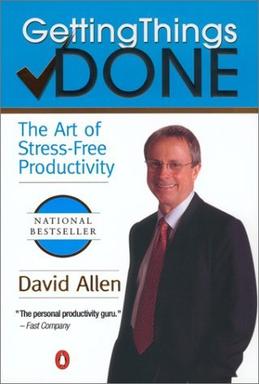
Can you execute the advice without creating an adverse increase in your work efforts? Many systems are complex and comprehensive, promising grand repositioning and resolution to many productivity needs and problems. They require commitment and application for their success, and their failure comes not from the system but from the application. For example let’s look at the popular approach by David Allen, Getting Things Done. There are a huge number of advocates of this solution and just as many people who have successfully implemented it into their daily lives. When I applied my own evaluation criteria to the approach (after several attempts to make it work for me) I found the effort needed to implement the solution was never going to be practical for me. Again, it is not a failing in the solution nor is it a failing in myself, but rather a recognition that my personal needs and style required a different solution.
Repeatability
Can the advice become a repeatable contributor to your daily productivity methodology? We have all fallen prey to the instance of the “hot hack.” The simple, quick trick that promises to solve a productivity issue in short order. The challenge often comes from these hacks not being truly sustainable over the long term. An example of this for me became the “shared solution.” Many methodologies recommend improving your productivity by engaging others into your system. Shared notebooks, shared notes, shared tasks, shared lists, etc. The thinking is by engaging another in your process, you lessen the direct load on yourself and thereby become more productive. Personally I’ve found this to be true IF (and that’s one really big if) the person or persons being engaged share your same vision of the solution and a common willingness to participate. In the professional space the org chart can be used as the stick to reinforce use of a shared solution, but in the personal space there is rarely such an incentive. You may be able to get a person to participate once, but making that success repeatable to multiple individuals and instances is a different matter entirely.
Evaluate based on what not who
Anyone can recommend a productivity solution, hack, or idea to me and I will evaluate it for myself based on the criteria listed above. Who that recommender is bears no impact on my evaluation. What is most interesting about this is many of the ideas I have adopted over the years have come from posts online, from people I have never heard of, but who’s ideas whether their own or shared from another, have met the requirements and made a difference for me. I will admit if a person’s repeated advice fails my test I’m much less likely to pay attention in the future. So as I started this missive, let me recommend you evaluate what you see and read and determine for yourself what will work.
An interesting discussion popped up on Google+ today talking about evaluating productivity advice based on the provider of the advice over the advice itself. While I may be over-simplifying the concept, it inspired me enough that I believe it is worth further investigation. I do agree with the commenter there is a segment of the “productivity movement” tending towards saleable advice, but that is to be expected in any venue of expertise. I spend a great deal of time in the project management space and you find the same perspectives there. The challenge I raise to this is, do we discount productivity advice based on if we do not agree with the adviser?
My stance, and what I recommend to others, is to take a three pronged approach to evaluating productivity advice. The three tenets of the evaluation are:
Relevance – Practicality – Repeatability
By using these measures you can determine if a productivity hack, solution, tool, or whatever has a good chance of contributing positively to your personal productivity for an extended period of time.
Relevance
Does the advice have a relevant point of reference in making an impact in your daily life? When you review your list of “productivity issues” do you see one that matches the solution the advice recommends, or do you see the solution and look for a problem for it to solve? I’ll use the example of Inbox Zero for my own reference here. While the approach of having all email addressed and resolved in a timely manner can be a huge boon to many, it’s relevance to my own needs is minimal. Seeing the posts and solutions (some excellent by the way) I moved to see if implementing Inbox Zero methodologies made sense. For me, the end result was additional work with no increase in productivity. Not a failing of the solution, or of my own, but a failing of relevance. I was solving a problem that for me didn’t need to be solved.
Practicality
Can you execute the advice without creating an adverse increase in your work efforts? Many systems are complex and comprehensive, promising grand repositioning and resolution to many productivity needs and problems. They require commitment and application for their success, and their failure comes not from the system but from the application. For example let’s look at the popular approach by David Allen, Getting Things Done. There are a huge number of advocates of this solution and just as many people who have successfully implemented it into their daily lives. When I applied my own evaluation criteria to the approach (after several attempts to make it work for me) I found the effort needed to implement the solution was never going to be practical for me. Again, it is not a failing in the solution nor is it a failing in myself, but rather a recognition that my personal needs and style required a different solution.
Repeatability
Can the advice become a repeatable contributor to your daily productivity methodology? We have all fallen prey to the instance of the “hot hack.” The simple, quick trick that promises to solve a productivity issue in short order. The challenge often comes from these hacks not being truly sustainable over the long term. An example of this for me became the “shared solution.” Many methodologies recommend improving your productivity by engaging others into your system. Shared notebooks, shared notes, shared tasks, shared lists, etc. The thinking is by engaging another in your process, you lessen the direct load on yourself and thereby become more productive. Personally I’ve found this to be true IF (and that’s one really big if) the person or persons being engaged share your same vision of the solution and a common willingness to participate. In the professional space the org chart can be used as the stick to reinforce use of a shared solution, but in the personal space there is rarely such an incentive. You may be able to get a person to participate once, but making that success repeatable to multiple individuals and instances is a different matter entirely.
Evaluate based on what not who
Anyone can recommend a productivity solution, hack, or idea to me and I will evaluate it for myself based on the criteria listed above. Who that recommender is bears no impact on my evaluation. What is most interesting about this is many of the ideas I have adopted over the years have come from posts online, from people I have never heard of, but who’s ideas whether their own or shared from another, have met the requirements and made a difference for me. I will admit if a person’s repeated advice fails my test I’m much less likely to pay attention in the future. So as I started this missive, let me recommend you evaluate what you see and read and determine for yourself what will work.
In sales and marketing presentations I am always asking the parties involved in the presentation, “What’s your objective? What is the primary result you want to have happen when this session is done?” It is critical you ask that question of all the key stakeholders in a presentation since agendas and expectations vary so much from person to person as well as group to group.
When asking a sales person, the answer may be, “to make the sale.” That’s not actionable. There are multiple steps still needing to take place before you can meet that particular expectation. If it’s an informational presentation, the objective may be to “increase familiarity with the topic.” A fairly wishy-washy objective when it comes to measuring success.
Plan your presentations around the objectives you and your team agree upon that are actionable, achievable, and measurable. Make it part of your plan, and know what to do if you’re straying away from those objectives as your presentation progresses.
Presentations should have specific objectives and should contribute to moving whatever process is taking place forward. If your presentation doesn’t focus on the expectations of the key stakeholders, then you’re not likely to have a successful session.
Doing the right things in the right ways at the right times




You must be logged in to post a comment.